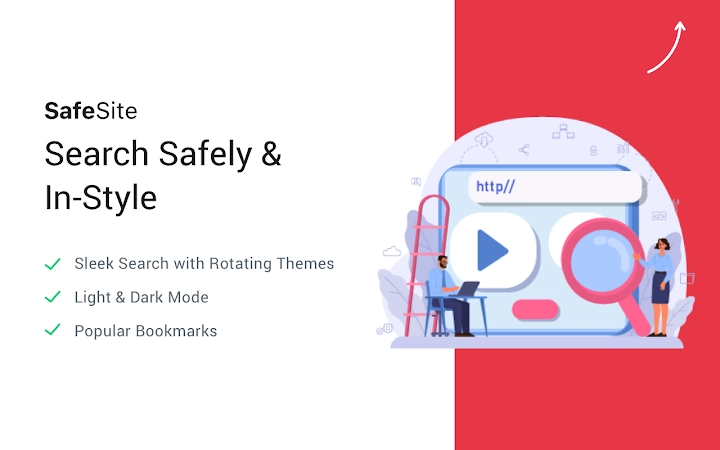

Total AV Safe Site: Secure Browsing Made Simple
Overview
Total AV Safe Site is a desktop security tool designed to protect users from malicious websites by blocking harmful URLs in real time. The software aims to enhance online safety by filtering out phishing attempts, malware distribution sites, and deceptive web content. Its primary purpose is to provide a safer browsing experience for individuals concerned about online threats, particularly those who frequently access unfamiliar websites or handle sensitive personal data.
Target users include general consumers, remote workers, and anyone seeking an additional layer of protection beyond standard browser security. The tool is especially beneficial for users who may not have advanced technical knowledge but still want reliable defense against evolving web-based threats. Real-world usage scenarios include online banking, shopping, and accessing cloud services, where exposure to malicious domains can lead to data breaches or identity theft.
Developed by Total AV, the software operates as a lightweight desktop application that integrates directly with the user’s web browsing environment. It does not require complex setup or ongoing configuration, making it accessible for non-technical users. The developer did not provide additional system requirements or detailed background on the company’s security infrastructure.
Key Features & Capabilities
- Real-time URL Filtering – Blocks access to known malicious websites using up-to-date threat intelligence, reducing the risk of accidental exposure to malware and phishing schemes.
- Free Domain Categorization – Automatically classifies websites into categories such as finance, social media, adult content, and more, helping users monitor and restrict access to potentially risky domains.
- Security Filters – Applies multiple layers of protection to detect and prevent access to deceptive or fraudulent websites designed to steal credentials or install malicious software.
- Quick Access Tools – Provides one-click options to open private/incognito browsing sessions, clear browsing history, and remove cookies, enabling users to maintain privacy with minimal effort.
- Seamless Browser Integration – Functions as a background service that works across major web browsers without requiring manual configuration or frequent updates.
These features are designed to reduce user workload by automating threat detection and privacy management. For example, when a user clicks on a suspicious link from an email, the software can block access before the page loads. Similarly, the domain categorization feature helps parents or organizations monitor web activity without relying on third-party monitoring tools.
User Interface, Workflow & Performance
Total AV Safe Site features a minimalistic user interface focused on functionality rather than visual complexity. The main dashboard displays status indicators for active protection, recent blocked sites, and quick access buttons for privacy tools. Navigation is straightforward, with a single menu bar and clearly labeled icons, allowing users to access core features with few clicks.
Workflow efficiency is optimized for simplicity: once installed, the software runs in the background with minimal user interaction. Users can check protection status, review logs of blocked URLs, or trigger privacy actions without interrupting their browsing sessions. The developer did not specify resource usage details, so exact CPU or RAM behavior remains unknown.
Performance observations are based on general software behavior patterns. As a lightweight application at 4.5 MB, it is expected to have low system impact. Stability appears to be a priority, with no reported issues in the release notes. The software operates continuously without requiring restarts or manual intervention.
Compatibility & System Requirements
Total AV Safe Site is compatible with both Windows and Mac operating systems, making it accessible to a broad range of users. The software is available in version 1.0.0 and has a file size of 4.5 MB, indicating a compact installation footprint.
Exact system requirements were not listed. Compatibility information was partially provided, with no mention of minimum processor speed, RAM, or disk space. The developer did not specify whether the software supports older versions of Windows or macOS, nor did they provide details on supported browser versions.
Installation is expected to be straightforward, given the small file size and standard desktop application format. Users should verify compatibility with their specific OS version before installing, especially if using legacy systems.
Pros and Cons
Pros
- Free to use with no hidden costs
- Lightweight design at just 4.5 MB
- Real-time protection against malicious URLs
- Simple, intuitive interface suitable for non-technical users
- Includes privacy tools like incognito mode and cookie clearing
Cons
- Exact system requirements were not specified
- No information on supported browser versions
- Performance impact details not provided
- Limited transparency about threat detection methodology
- No user feedback or rating data available in release information
FAQ Section
Is Total AV Safe Site compatible with all web browsers?
The software is designed to work with major web browsers, but the developer did not specify which ones are supported. Users should test compatibility with their preferred browser after installation.
Is the software safe to download and install?
Total AV Safe Site is distributed by a known developer, and the file size and version are publicly listed. As with any software, users should ensure they download from official sources to avoid tampering.
Does Total AV Safe Site require regular updates?
The software operates with automatic updates to maintain protection against emerging threats. However, the update frequency and mechanism were not detailed in the release notes.
Can I use this tool offline?
Total AV Safe Site can function in offline mode, but its effectiveness may be limited without access to real-time threat intelligence databases. The software may rely on cached data for basic filtering.
What type of license does Total AV Safe Site use?
The software is available at no cost and does not require a license key. It is classified as free software with no restrictions on usage or distribution.
Final Thoughts + CTA
Total AV Safe Site delivers a focused, lightweight solution for users seeking enhanced browser security without complexity. Its real-time URL filtering and built-in privacy tools offer meaningful protection for everyday internet users. While details on system requirements and performance are limited, the software’s small size and straightforward design suggest minimal impact on system resources.
It is particularly well-suited for individuals who want to improve their online safety with minimal setup. The free pricing model makes it accessible to a wide audience, especially those who may not need enterprise-grade security tools.
For users looking to reduce exposure to malicious websites and maintain better browsing hygiene, Total AV Safe Site provides a practical and accessible option. With its simple interface and automated protection, it stands out as a reliable choice for personal security.
Download Total AV Safe Site now







